For Indian exporters · GST-ready · Works in your browser
Type the shipment once.
Print every document.
Proforma invoice, commercial invoice, packing list, GST tax invoice and FOC invoice today, with more documents added as customers need them. All from one form, with nothing retyped. Built from a working exporter's own paperwork, not from a template gallery.
No sign-up. Chrome or Safari. Your data stays in your browser until you choose otherwise.
Sound familiar?
- The same consignee address, typed into every PDF.
- A fillable form with no room for the CAS number, so the font shrinks until nobody can read it.
- A packing list that disagrees with the invoice by one bag.
How it works
One form in. Every document out.
-
01
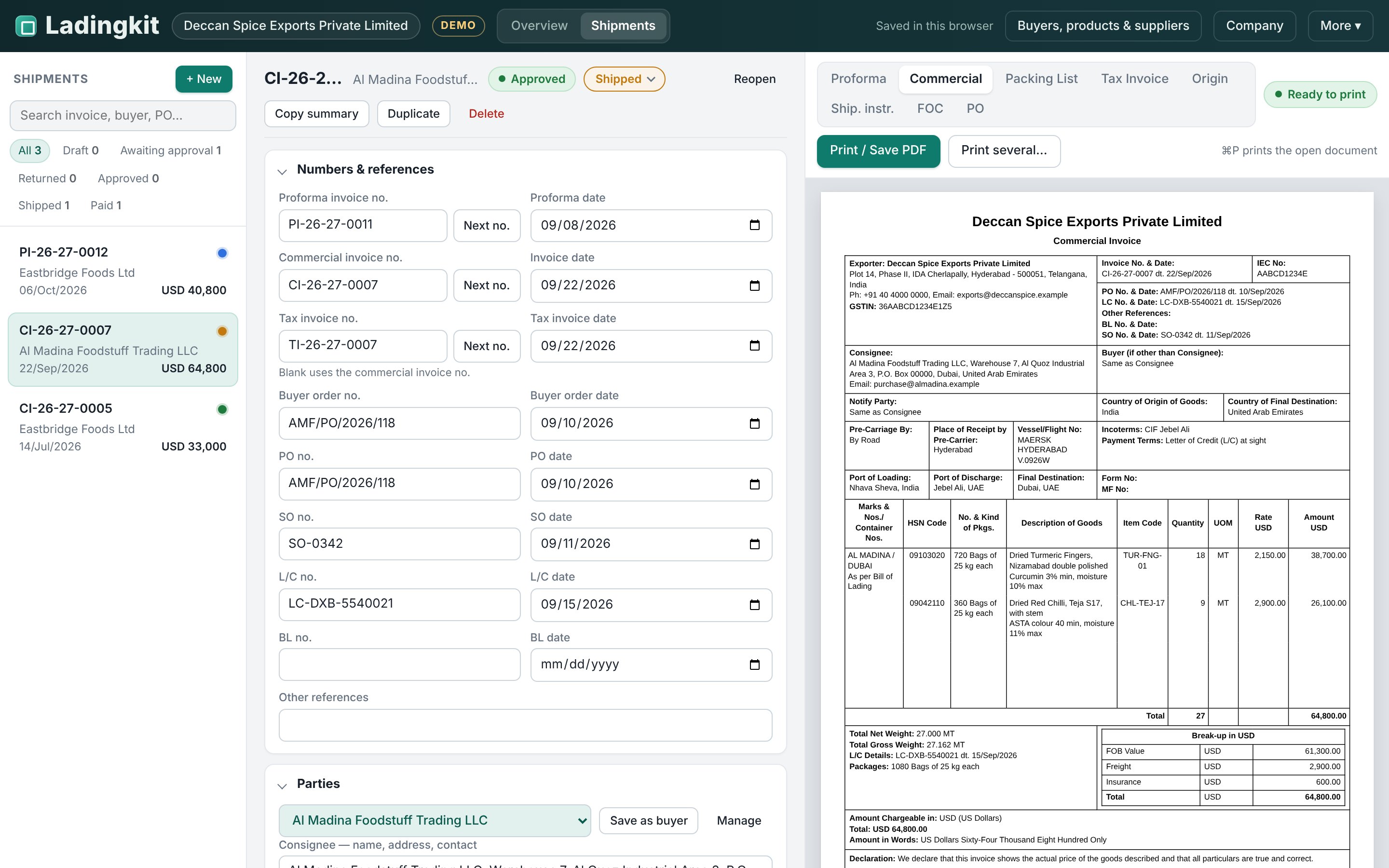
Enter the shipment
Pick a saved buyer and the consignee, ports and terms fill in. Pick saved products and the HSN, description, unit and GST % come with them. Or paste the lines straight from Excel.
-
02
Check it
A readiness check tells you exactly what each document still needs, before you print. Click the item, and the cursor lands on the empty field.
-
03
Print
One PDF with the documents you choose. The tax invoice comes out as Original, Duplicate and Triplicate. Long item lists flow onto a second page with the headings repeated.
The documents
Eight documents today. The same numbers on all of them.
Every document reads from the same shipment, so the quantity on the packing list is the quantity on the invoice, and the amount in words always matches the amount in figures. These eight are ready now; the next ones are added with the customers who need them.
 01
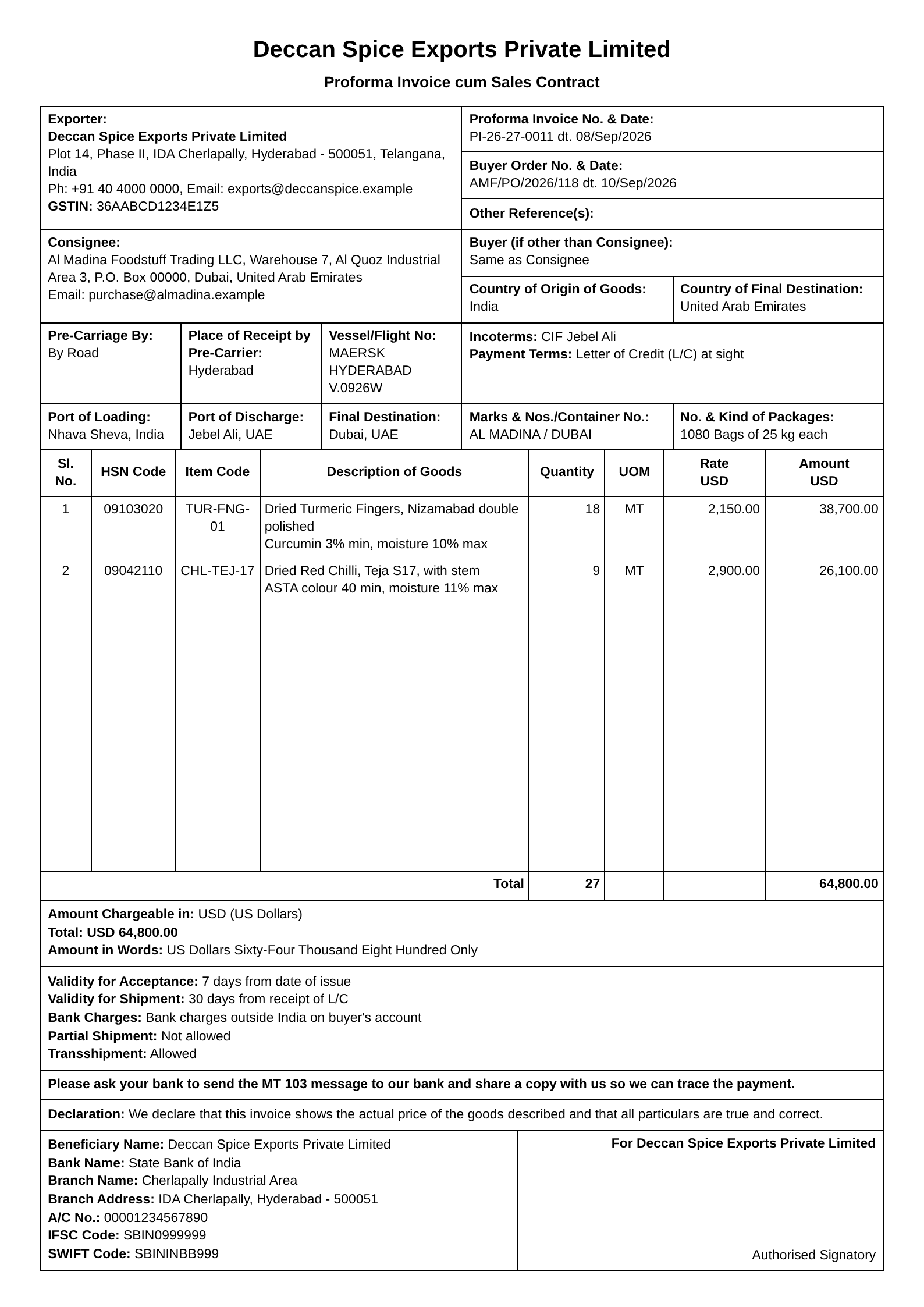
01Proforma Invoice cum Sales Contract
With your terms on page two.
 02
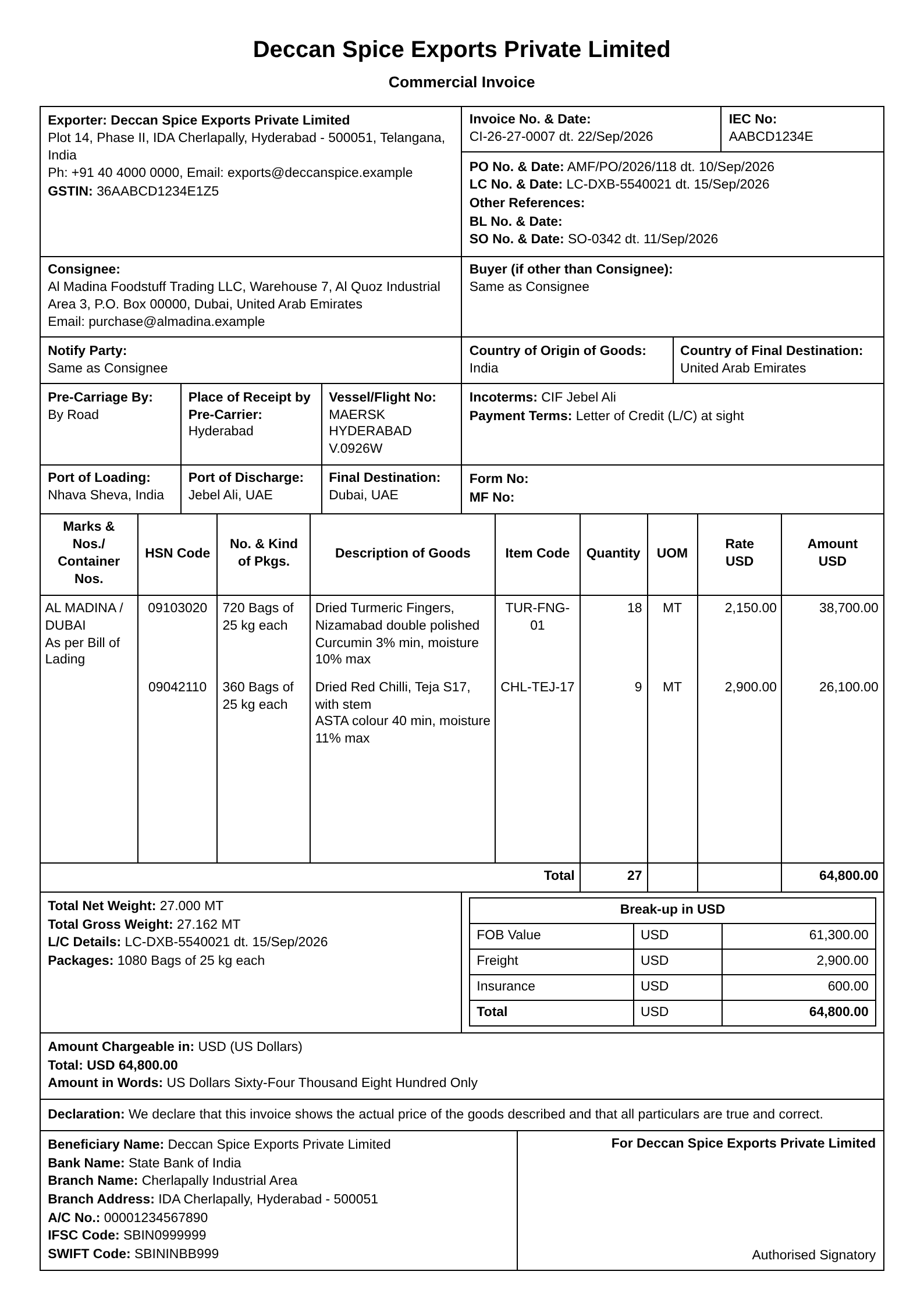
02Commercial Invoice
FOB, freight and insurance break-up.
 03
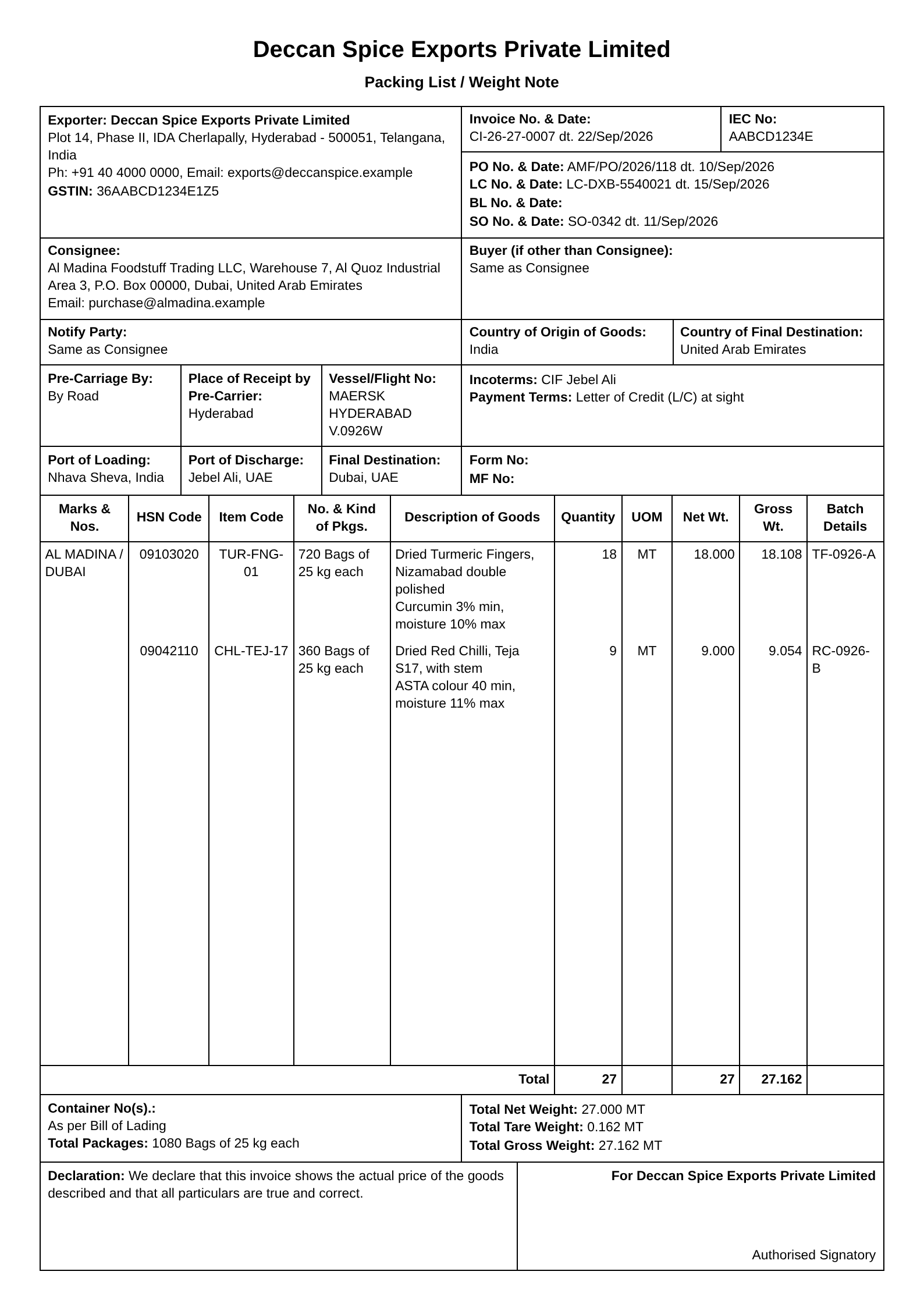
03Packing List / Weight Note
Net, tare and gross, per line and in total.
 04
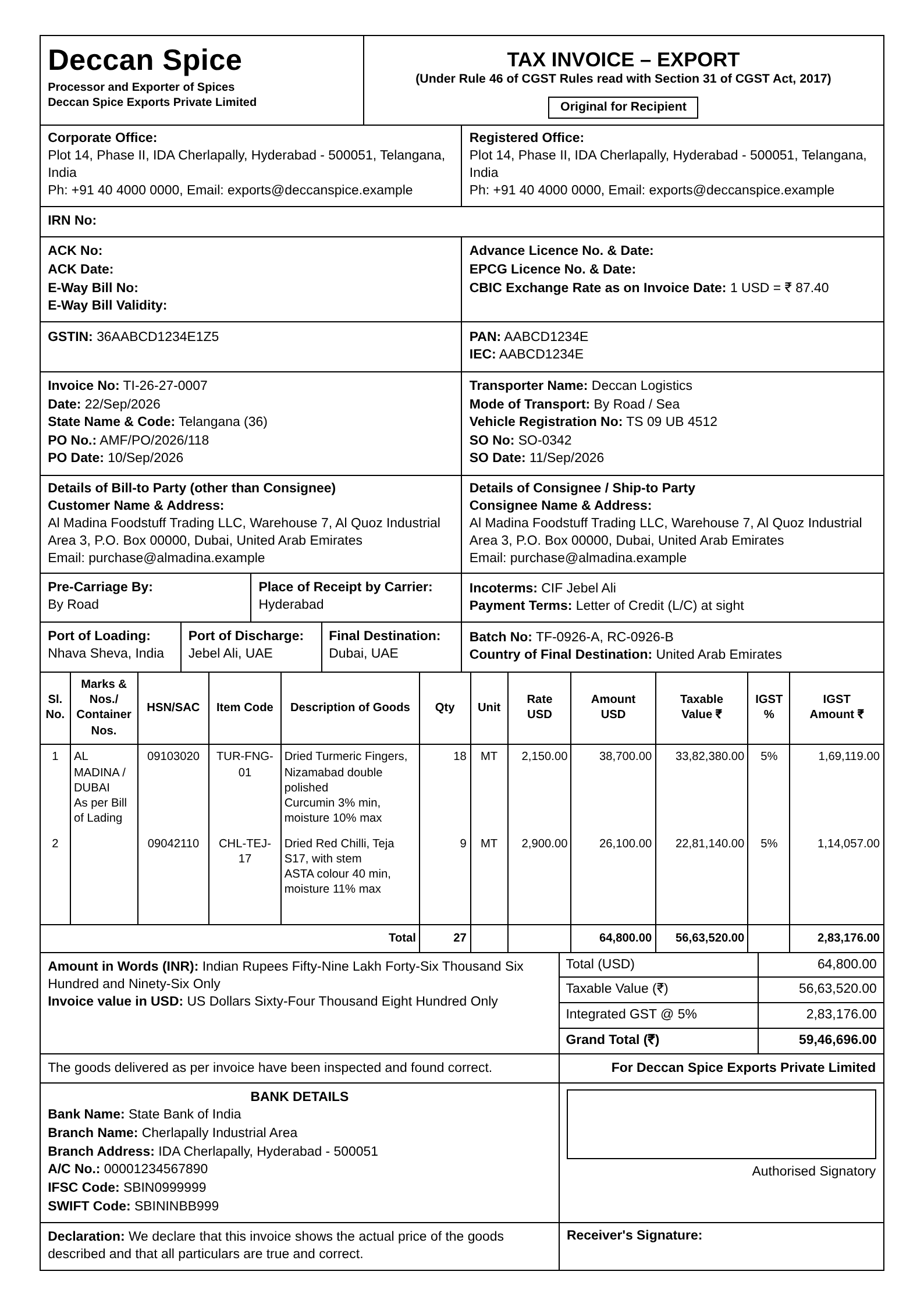
04Tax Invoice (Export)
Rule 46 fields, IGST per line, LUT mode.
 05
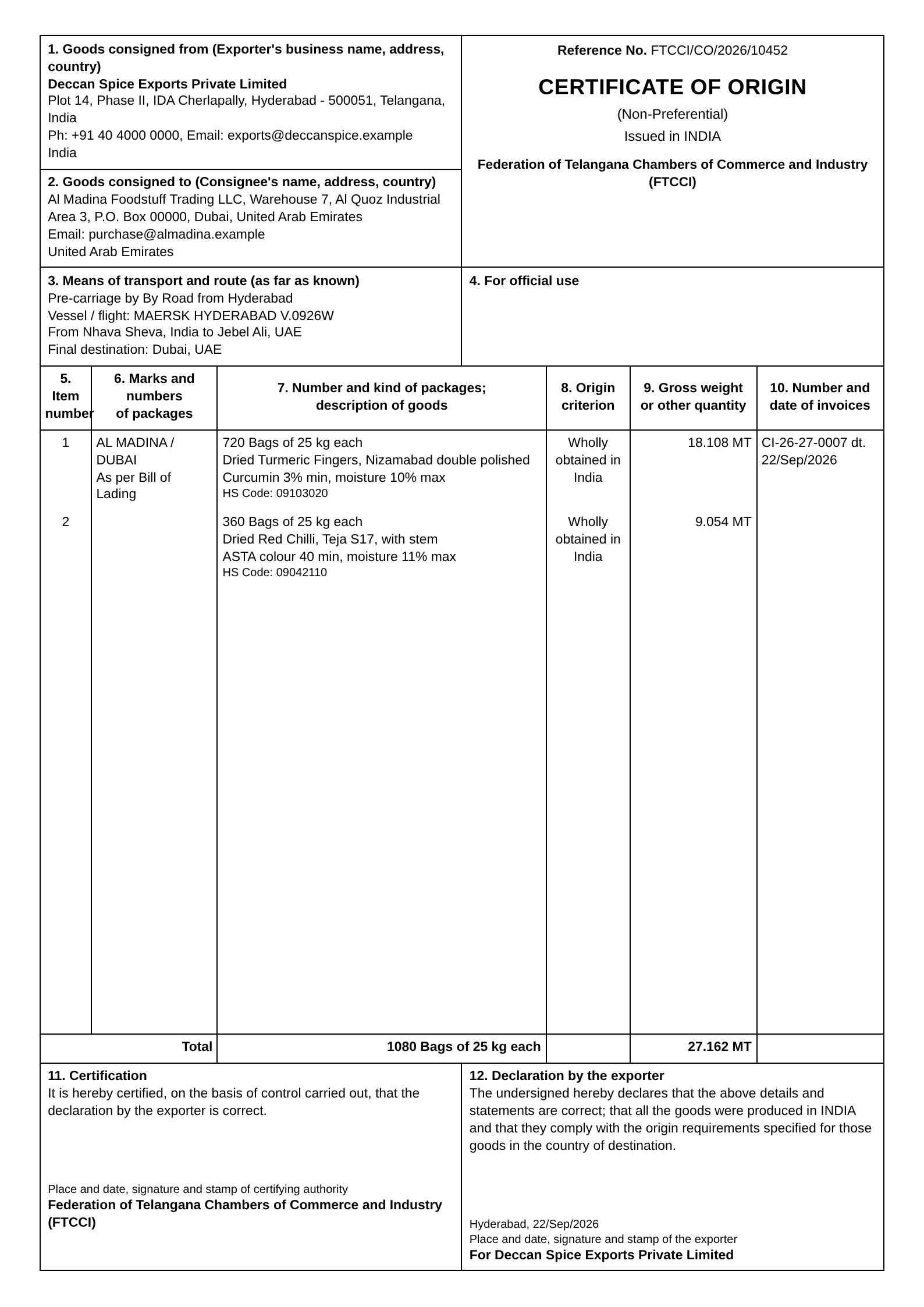
05Certificate of Origin
The chamber's 12-box form, ready to stamp.
 06
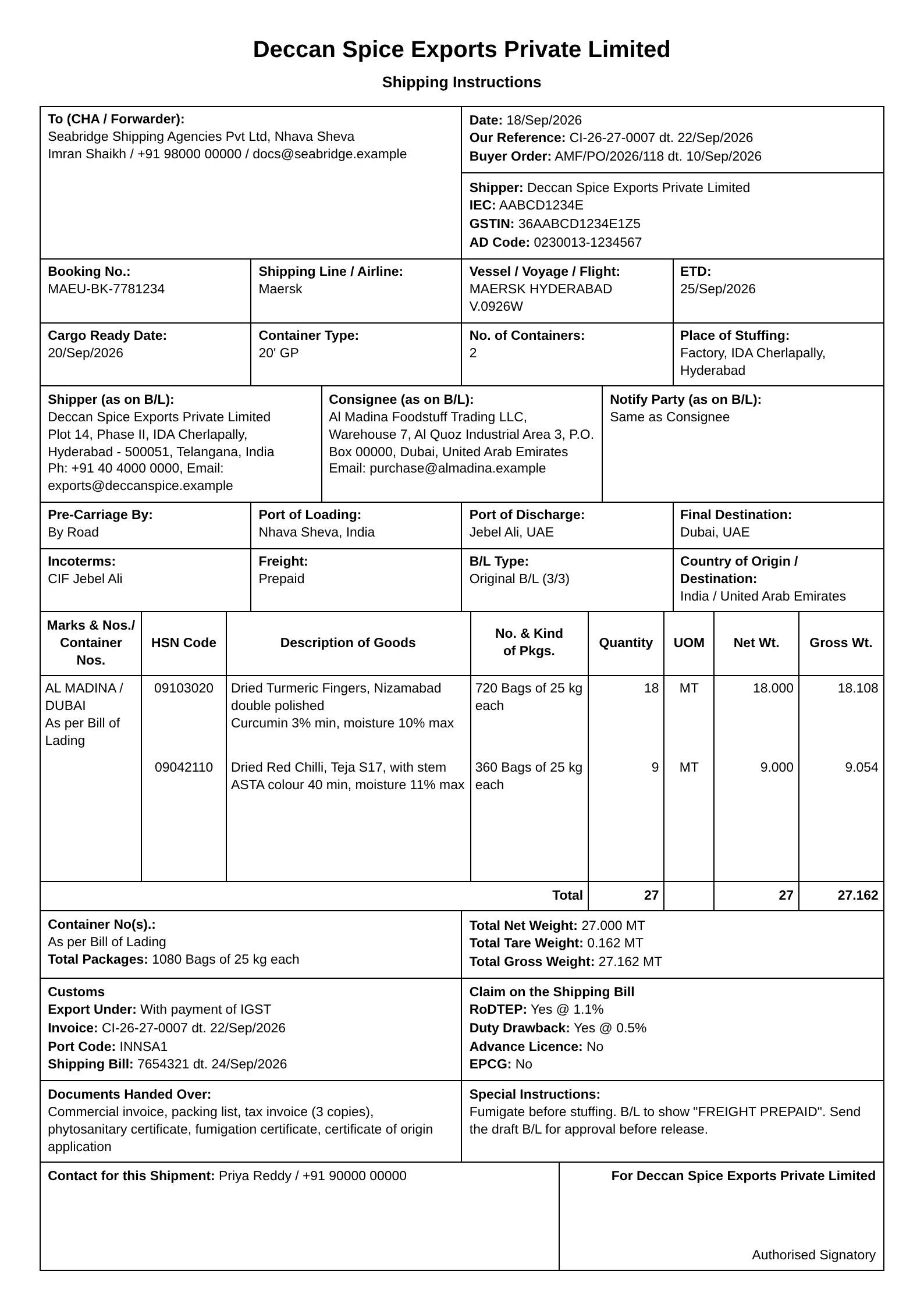
06Shipping Instructions
Booking, B/L parties, customs schemes, for your CHA.
 07
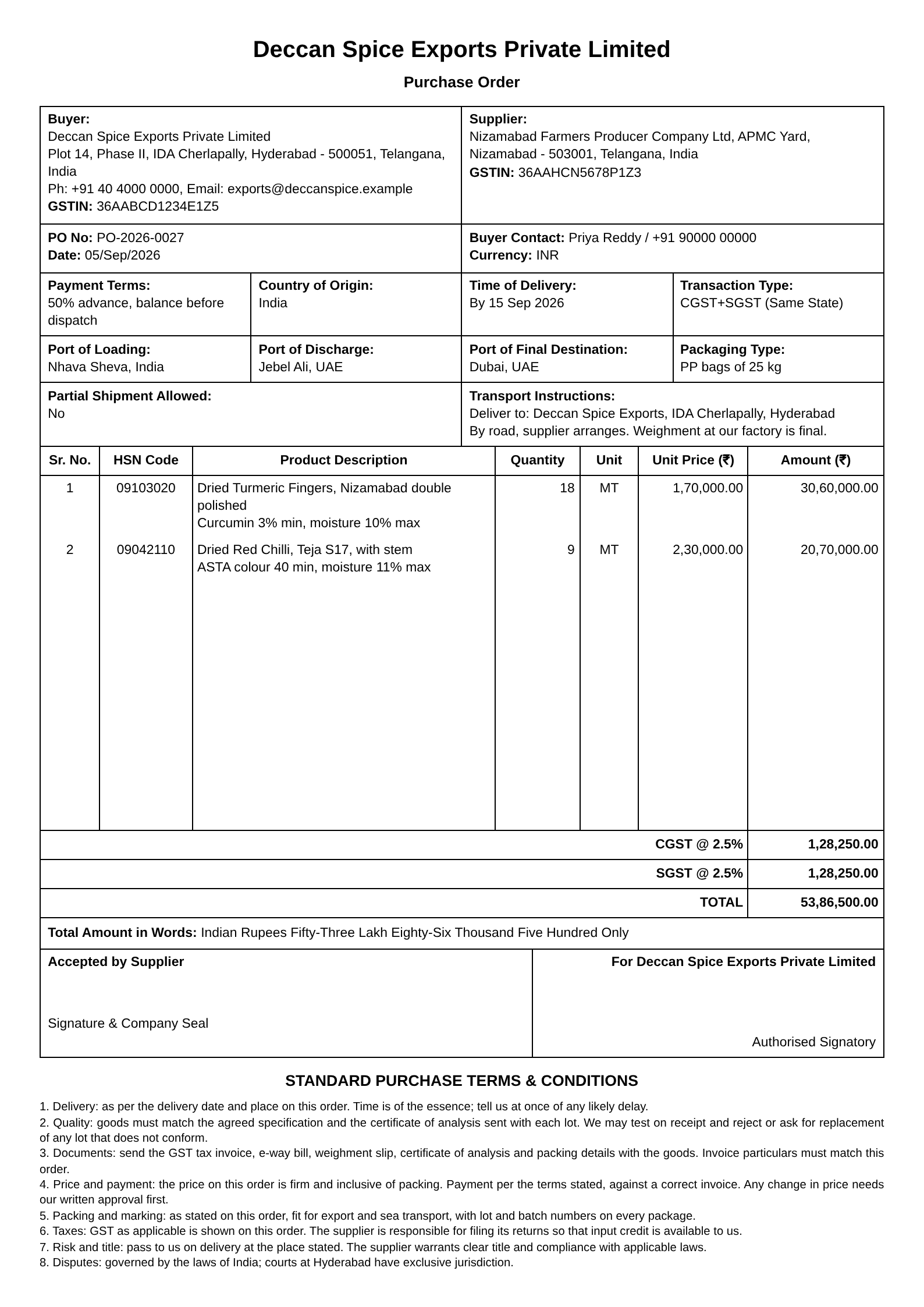
07Purchase Order
To your supplier, in rupees, CGST+SGST or IGST.
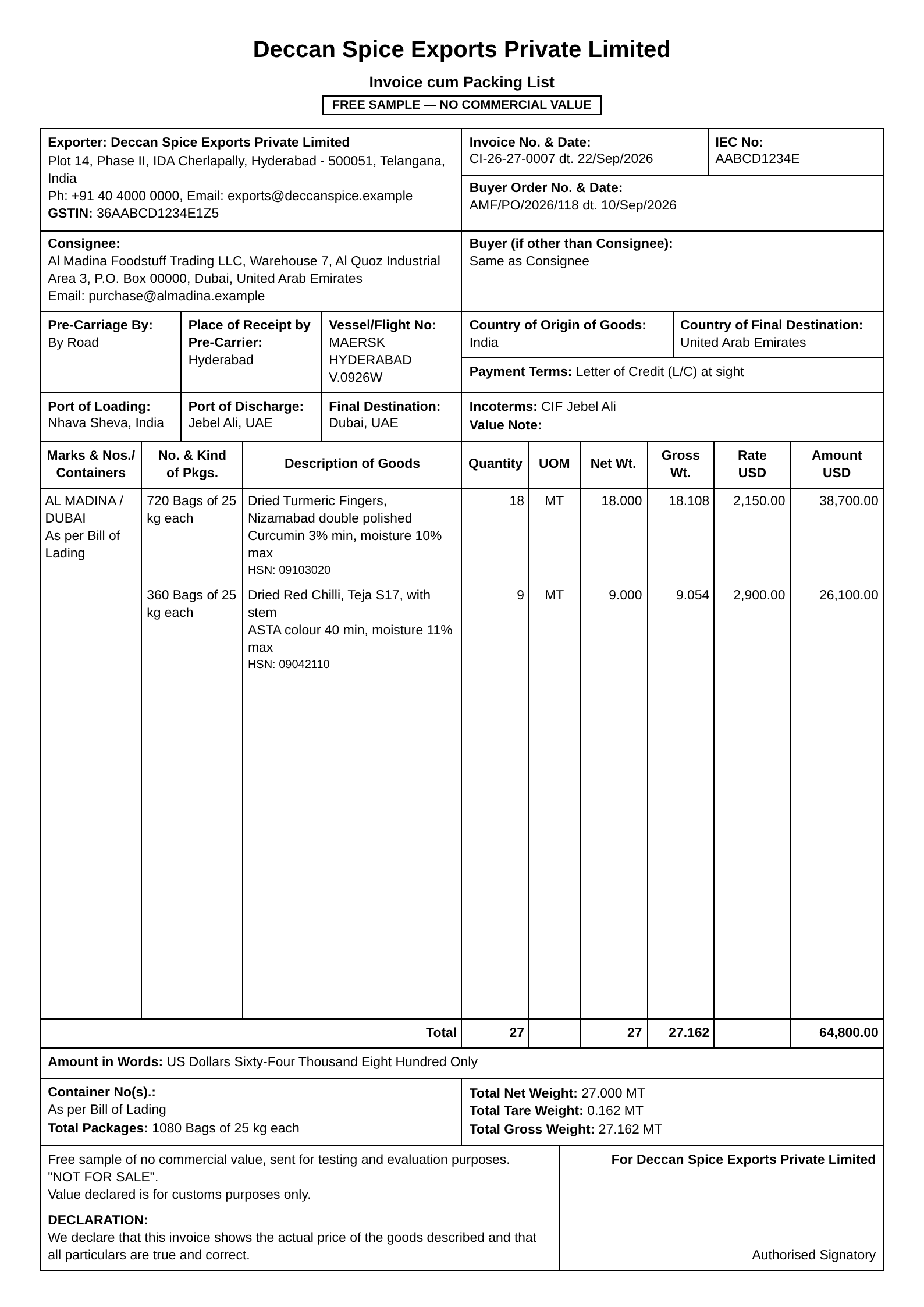 08
08FOC Invoice cum Packing List
For samples of no commercial value.
What's in it
Less typing. Fewer mistakes.
| Sl. No. | Description | What it saves you |
|---|---|---|
| 1 | Saved buyers | Consignee, country, ports, incoterms and payment terms fill in with one pick. |
| 2 | Saved products | HSN code, description with CAS number, unit, GST % and packing come with the product. |
| 3 | Paste from Excel | Copy the lines from your sheet, paste, done. Columns are recognised from the headings. |
| 4 | Automatic numbering | Patterns like CI-26-27-0007, aware of the financial year, never a duplicate. |
| 5 | GST tax invoice | IGST per line at each product's rate, or export under LUT with no tax. Printed as Original, Duplicate and Triplicate. |
| 6 | Readiness check | What's missing, per document, before you print. Click to jump to the field. |
| 7 | Any currency | USD, EUR, AED and more, with the amount in words in dollars, and in lakh and crore for INR. |
| 8 | Repeat orders | Duplicate a shipment. Numbers, dates, BL, IRN and container numbers are cleared; everything else stays. |
| 9 | Payment follow-up | Invoice, due date, every receipt, e-BRC. The RBI realisation deadline is counted from the date of shipment under the rule in force, and flagged 60 days before. |
| 10 | GSTR-1 export table | The month's export invoices as a CSV in the GSTN offline-tool layout, with the shipping bill, port code and taxable value, for your CA. |
| 11 | RoDTEP and drawback | Claimed against received, per shipping bill, with what is still pending. |
| 12 | LUT reminder | Your LUT runs out on 31 March. The overview says so 45 days before, and the ARN prints on every tax invoice under LUT. |
| 13 | Suppliers and purchase orders | Saved suppliers, a PO in rupees with the right GST split, numbered in its own series. |
| 14 | Your data, in one file | Download a backup any time and restore it on any computer. No lock-in. |
| Total | One shipment, entered once. |
Pricing
One plan. Everything in it.
Description of service
Ladingkit Standard
- Unlimited shipments and documents
- Every document we make, with your logo and signature
- Saved buyers and products, Excel import, numbering
- Up to three people in your company
- Backups you own, support on WhatsApp
Rate
or ₹14,999 a year, two months free
14-day free trial. No card needed to start. GST extra.
Create your company accountQuestions
Declarations
Is the tax invoice GST-compliant?
It carries the fields Rule 46 of the CGST Rules asks for on an export invoice: GSTIN, PAN, serial number, HSN per line, taxable value in INR at the CBIC exchange rate, IGST per line, and the "supply meant for export under LUT" line when you export without payment of tax. Your CA should still look at the first one you print, as they would with any new format.
What about e-invoicing and the IRN?
If e-invoicing applies to your company, you generate the IRN on the GST portal as you do today and type the IRN and acknowledgement number into the shipment. They print in the right place. Direct generation from inside Ladingkit is on the list for later.
Where is my data, and who can see it?
In a company account, in a database where every row is tagged with your company; people from other companies cannot read it, and the rules are enforced by the database itself, not just by the screen. Your admin adds people by email as admin, manager or employee. With manager approval switched on, an employee can prepare a shipment but print only after a manager has approved it, and every submit, approval, edit and print is kept in the shipment's history. The free demo keeps its data in your browser only.
Our documents look a bit different. Can we keep our format?
The layouts follow the standard Indian export formats most banks, customs brokers and buyers already know. Logo, signature, declarations, terms and numbering are yours to set. If your bank or buyer insists on a particular layout, or you need a document we don't make yet, send it to us before you sign up and we'll tell you plainly whether we can add it.
Does it work with Tally?
Not yet. Paste from Excel covers most line-item work today. If you'd use a Tally import, tell us; that moves it up the list.
Who makes this?
Ladingkit is built in Hyderabad. It started as a tool for one chemicals exporter who was filling the same PDFs by hand for every container, and grew from the corrections their documentation team sent back.
Try it on your next shipment.
Open the app, change the sample company to yours, and print the documents for a shipment you've already done. Compare them with what you sent.